 TM
TM
APIs, keys, tokens, scripts, and browser quirks pile up fast.
Connect My AI
Let your AI flyTM
Browser extension + desktop companion + guided connection
Let your favorite AI help with the websites you already use, without API-key scavenger hunts or fragile browser workarounds. Sign in, choose your comfort level, and Connect My AI gives Codex, Claude Code, Kimi, or another local AI a clear, permission-based path to real browser tasks.
No secret keys
Reads, clicks, types, and scrolls
Remote requests with approval
Approvals stay human
Works with your signed-in tabs
Recovers stalled browser tasks
Your AI asks. Connect My AI checks. You approve what matters.
Read, search, click, type, upload, and recover with one clear browser permission. Session trust or Extended access covers routine site changes.
Connect My AI connects everywhere
Sample
Active page read
27 posts scanned. 8 helpful opportunities found. 3 replies waiting for your approval.
Approval before action
User stays in control
Page read safely
Browser task prepared
Typing waits for approval
 Quick Demo
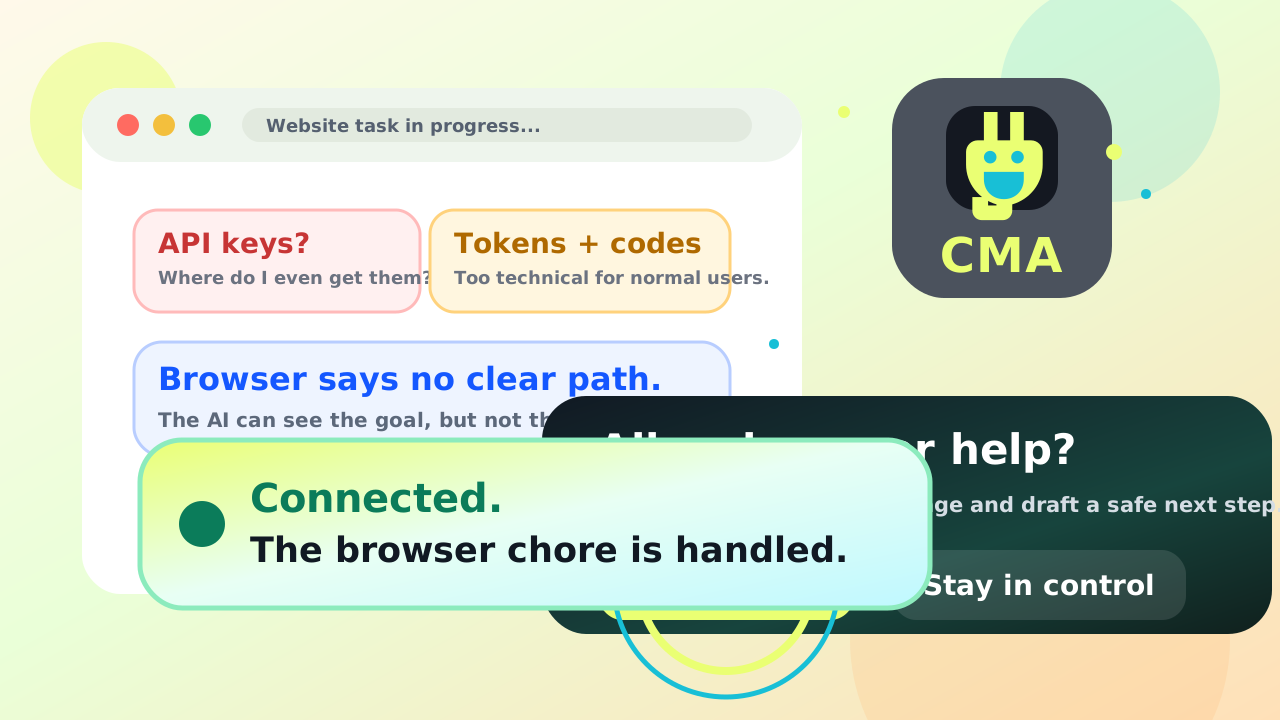
The setup maze disappears.
 Problems Solved
The annoying parts get handled for you.
Connect My AI is built for normal users who want their AI to be more useful without becoming a browser engineer.
No API-key scavenger hunt.
Sign in once. Connect My AI prepares the browser connection and keeps the confusing details out of the way.
Your real tabs stay useful.
The extension sees supported browser tabs, avoids its own helper pages, and routes actions back to the right website.
Typing is checked, not assumed.
For social posts and rich editors, Connect My AI verifies the text appeared before calling the task done.
Sign-in walls become a calm handoff.
It focuses the right area, works with your browser or password manager, and never stores website passwords.
Human checks pause safely.
If a site truly needs you, the AI waits. Passive hidden CAPTCHA scripts do not derail the task.
Money actions stay separate.
Shopping and checkout setup can keep moving. Only the resolved final action that commits money always asks once.
Friendly setup
Let’s get you connected.
Start on one simple signup page. Enter your email once, choose how to install, and verify before you connect.
Try Connect My AI free
No paste-in codes-
1
Enter your emailNo password to create.
-
2
Choose your downloadExtension required. Desktop app recommended.
-
3
Verify and connectYour intro waits until the extension connects.
No card required for the free 30-minute intro. You can download before you verify.
Your intro clock does not run while you download or install.
Desktop Companion
A small desktop app that makes powerful browser help feel simple.
Secure local helper
Quietly handles the hard parts
Connect My AI can open supported browsers, keep sessions organized, and apply one clear browser permission.
Screenshot help ready
Download help ready
Separate work tab ready
Confirm this transaction?
Your AI reached the final action that can commit money. This exact target asks once even during a trusted session.
- What
- Place this order
- Where
- Current browser tab
- Control
- You choose
Tray Controls
Runs quietly; only final money transfer always asks.
Local documents
Read-only beta · Included in the Windows app
Let your AI read the files you choose.
Choose a folder for a timed, read-only session. Compatible AIs can find documents and read the parts they need while CMA is running.
Cloud connections need additional setup. Support varies by AI.
- Choose a folder
Review the files CMA can make available.
- Allow a timed session
Your AI receives text from the selected folder. Original files stay unchanged.
- Stop when you’re done
End further access with Stop or Panic Stop. Sessions also expire automatically.
See connection options
Compatible desktop AI clients can use CMA’s local MCP connection. Cloud AI tools need a supported secure tunnel or a separately configured HTTPS forwarding service. CMA does not yet provide a managed cloud connection.
A private connection link grants read access during the session to anyone who has it. Share it only with the intended AI connection. Stopping access cannot remove text already received by an AI or connection provider.
Text can be read from supported PDF, Word, Excel, text, and code files. Scanned pages, images, formatting, and some document fields need separate review. For chats without tool connections, CMA’s project brief preview offers text you can review, copy, or export.
Install
One friendly setup page handles your account, download choice, and browser connection in order.
Start setup
Choose the recommended app-and-extension path or the quicker extension-only path there.
AI Helpers
One friendly doorway for the AI tools you already like.
Codex
Let project agents read pages, test web flows, and help in real browser tabs after permission.
Claude Code
Connect project agents to real browsing tasks without hunting for a custom API for every site.
Kimi Agents
Give research-heavy agents page reading, tab awareness, and safe interaction loops.
Goose
Use the MCP connector so a local Goose-style agent can ask Connect My AI for browser help.
Any Local AI
Connect local assistants through HTTP or MCP instead of making beginners manage credentials.
More Browser Help
Start simple. When ready, let the app handle the deeper browser chores.
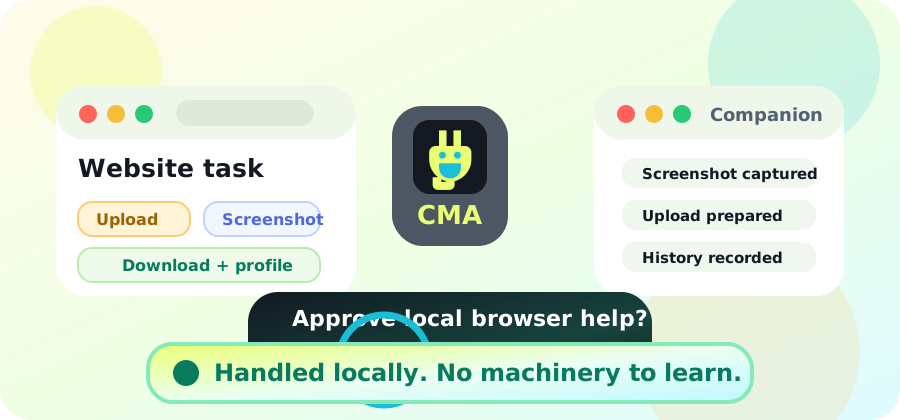
The browser extension handles everyday website help. The desktop companion adds richer access for tasks that need screenshots, uploads, downloads, browser profiles, and clear local control, without asking users to learn the machinery.
Connect My AI Companion
Working locally
Full-page screenshotsCapture the whole page
File uploadsHelp with local files
Download awarenessTrack browser downloads
ProfilesKeep sessions familiar
Browser connectionWorks with supported browsers
Action historyPlain-language review
 Permission Model
Big help, clear permission, no surprises.
Choose one clear permission for clicks, text, forms, uploads, downloads, and account changes. Trust lasts for the desktop session, or Extended access stays on until you turn it off.
Websites
You choose
Blocked sites and unsafe URLs
Stay blocked
Typing and clicking
Covered by session trust
Money decisions
Always ask
Facebook / Instagram
Extra-care prompts
YouTube / Rumble
Soft approval when trusted
Activity trail
Requested -> approved -> completed
Safety and Control
Easy to use, but never out of your hands.
Connect My AI gives users a comfortable control room for browser help. Pause access, deny a request, review what happened, request cancellation anytime, and keep the most powerful browser access local.
Requests are checked against your rules before browser control.
Sensitive actions stop for a clear user decision before execution.
CAPTCHA and human-verification pages pause the AI, zoom and highlight the check, bring you in, then resume after the page clears.
For participating sites that opt in, Connect My AI can offer a gentler user-confirmed pass instead of another puzzle.
When a site signs you out, Connect My AI pauses, focuses the login area, and helps your browser or password manager do the work.
Only the resolved final action that commits a payment, transfer, purchase, or trade always asks.
Facebook and Instagram write actions get clearer prompts and more patient page handling.
YouTube, Rumble, Brighteon, and similar sites support smoother search, comments, likes, subscriptions, and playlists when trusted.
Approvals, denials, completions, and failures can be reviewed in plain language.
Remote requests can land on the user's signed-in desktop browser when the desktop companion is online and the user still approves risky work.
The companion keeps powerful browser work on the user’s own machine.
Extension controls and tray menu keep the human in charge.
Simple monthly plans
Start setup / choose plan
Reasonably priced personal and team plans, with Stripe checkout, billing-portal cancellation, and support-ticket help if anything gets stuck.
Extra Wow Built In
Problems that used to feel weird now get big friendly buttons.
API keys, codes, browser addresses, site quirks, and “what just happened?” logs are handled behind a simple subscription, clear permission choices, and plain-language safety tools.
Panic Stop
Pause browser control and clear queued work instantly if anything feels off.
Teach My AI This Website
Do a task once, save the steps as a safe recipe, and reuse it with approvals.
Permission Presets
Pick Shopping, Research, Social, Family Helper, Read Only, or Everyday Helper.
Undo Trail
Review what your AI asked for, what happened, and what Connect My AI blocked.
Ask Before Money
Cart staging and checkout setup can stay easy. The resolved final action that commits payment, transfer, donation, membership, or trade always asks once.
Human Check Assist
When a site needs a real person, Connect My AI zooms in, highlights the check, points you to the tab, and resumes after you finish.
Human Pass
Participating sites can ask Connect My AI for a friendly human confirmation instead of sending users into puzzle jail.
Sign-In Assist
Password walls become a calm handoff: focus the field, use saved passwords, optionally fill once on safe sites, then continue.
Phone asks, desktop acts
Tell an approved AI from your phone what you need. Your signed-in desktop browser receives the request, handles the website, and still follows your approval rules.
Site Skill Packs
Friendlier handling for Amazon, Facebook, Instagram, YouTube, job sites, and more.
Open doors
Connect My AI feels like a comfortable control room, not computer homework.
Friendly Account Dashboard
EasyGuided setup
4Agent connectors
30+Helpful browser actions
0Keys for users to paste
AI connected
Remote inbox ready
Browser permission saved
Action checked
Approval requested
Browser task completed
No setup maze.
Connect My AI turns confusing keys, permissions, connection addresses, and action history into a simple guided path.
Sign in. Start the free intro. Connect your browser. Let your AI help.
Easy options for complex tasks
Signed in and ready
The host details disappear.
The extension remembers where to connect, checks approval settings, and keeps the user in control without asking them to understand server addresses.
Agent requests clearly presented
AI asks:
"Can I read this page?"

Connect My AI checks:
"Yes, reading is allowed."
Handled before it reaches the browser
AI gets one clean doorway.
Codex, Claude Code, Kimi, Goose, or another local assistant can ask for browser help through Connect My AI instead of juggling website APIs and fragile scripts.
Companion actions in the background after permission
AI asks:
"Can I capture the page?"

Connect My AI asks you:
"Approve screenshot?"
Runs locally after permission
Local access, plain approval.
Connect My AI works with background browser processes after the user confirms the action, then records what happened in plain language.
Use Cases
From "please look at this" to "please help me do this."
Connect My AI can help local assistants read, inspect, screenshot, scroll, focus tabs, open URLs, click, type, submit forms, download files, close tabs, use browser profiles, and keep action history, with one clear browser permission. Session trust or Extended access covers uploads and public posting; only the final action that commits money always asks.
Scan X + draft replies
Read active feed, collect promising conversations, draft replies, request approval before typing or posting.
Connect AIs
Save tokens by using the right AI for the job.
Your strongest AI does not need to do every small chore. When you ask it to use Connect My AI, simple sorting, summarizing, formatting, rough-draft tasks, and second-opinion checks can move to cheaper or local helpers through the AI Router and MCP connector.
Powerful AI can be expensive for simple work.
Big models are great for judgment, but routine cleanup and summaries can burn tokens fast.
AI Router + Save Tokens Mode.
Your main AI can ask Connect My AI whether a task is safe to delegate. Helpers draft, your main AI reviews, and you stay in control.
No eavesdropping on AI chats.
This only runs when you tell your AI to use it. The desktop app waits quietly until called.
Several AIs can compare ideas.
Ask for multiple perspectives, then let your main AI combine agreement, disagreement, and the best next step.
See what the router saved.
The desktop app tracks helper handoffs, consensus runs, estimated tokens saved, and reviewed outputs.
Part of the $7 plan.
Browser help, the desktop companion, Save Tokens Mode, AI Router, and consensus tools are bundled together in the personal plan.
1User says: use Connect My AI
2Router picks browser, helper, or consensus
3Cheap/local helpers draft safe chores
4Main AI reviews and user approves actions
Simple Pricing
One subscription beats a pile of website keys.
Start with a free intro session, then subscribe securely with Stripe when you are ready. Personal is $7/month, Team is $29/month, and you can cancel anytime through billing or support.
Free Intro
$0One 30-minute guided session to connect an AI, test browser help, and see approval windows in action.
Start Free IntroPersonal
$7Extension, guided setup, trusted sessions, local AI connection, and access to the desktop companion, AI Router, Save Tokens Mode, and consensus tools.
Subscribe PersonalTeam
$29Shared policies, team audit trails, and managed approvals for growing teams. Contact support if you want help setting up team controls.
Subscribe TeamSecure Stripe checkout is ready. Pick a plan, then return to setup to connect your browser.
Support
If something breaks, we'll help fast.
Open a ticket from the website, extension, or desktop app. Customer support will reply quickly and keep the conversation going until the problem is resolved.
Friendly replyClear steps, no jargon pileup.
Safe diagnosticsStatus only, never passwords.
Community repairRecurring failures become code fixes.